
Initial Registration
Welcome to VolleyTrack! This section will guide you through the registration process and first access to the platform.
📚 Registration Guide
Explore the steps needed to start using VolleyTrack:
📝 Creating an Account
Follow the steps to create your account and start using the platform.
🔐 Logging In
Access your account after registration and email confirmation.
📝 Creating an Account
To access the platform, follow the steps below to create your account:
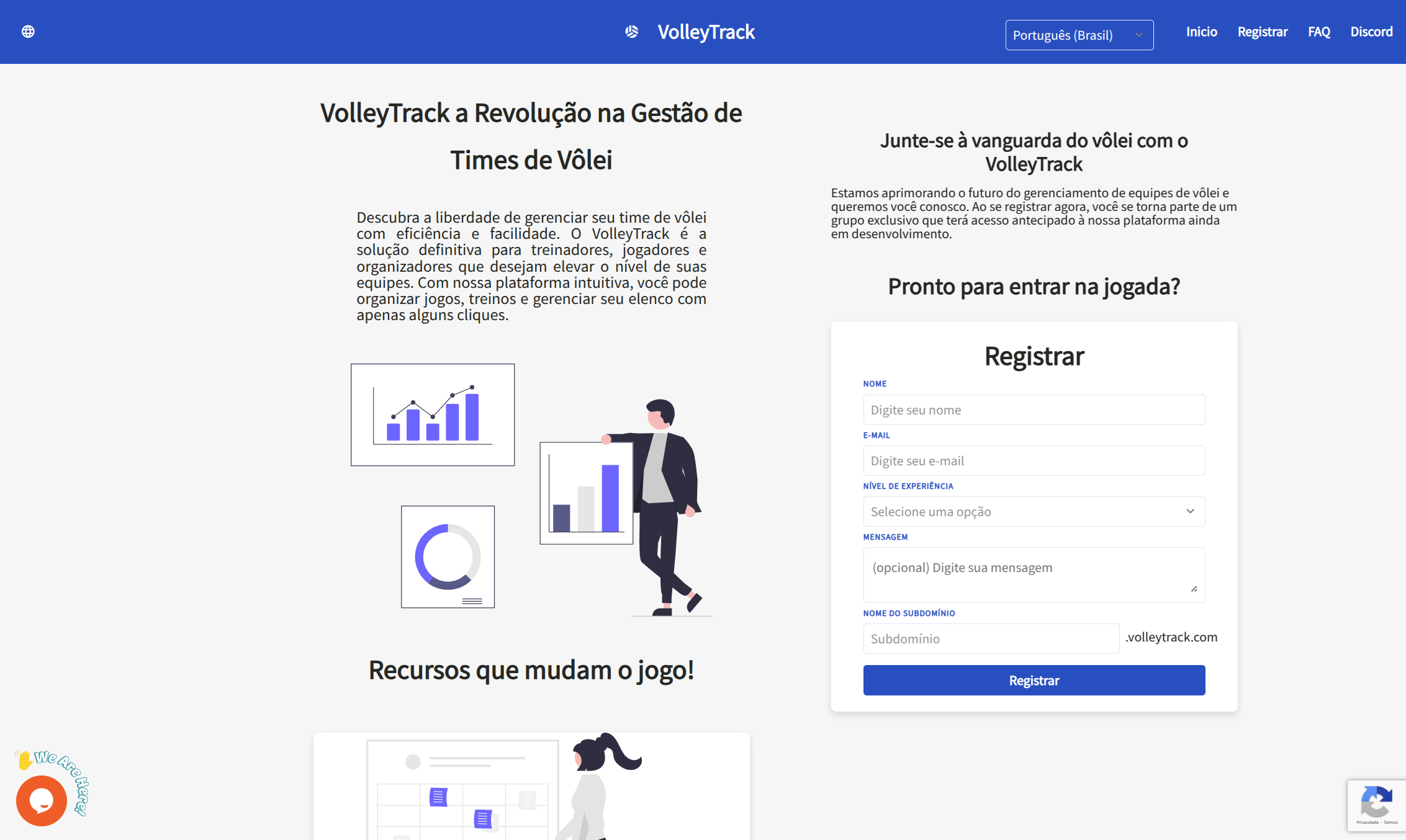
Step 1: Locate the Register Button
On the website, locate and click on Register in the upper right corner of the screen.
Step 2: Fill Out the Form
Fill out the form with the following information:
Basic Information
- Name: Enter your full name.
- Email: Provide a valid email address to receive notifications and access.
Experience Level
Choose one of the available options:
- University
- Semi-Professional
- Professional
- Intermediate
- Coach
- Instructor
- Other
Message (Optional)
Write a brief description of your volleyball experience and why you want to use the platform.
ATTENTION
The platform is in its initial phase, and access is not granted automatically. The message provided during registration will be analyzed to ensure that your profile aligns with the system's objectives.
Our goal is to understand who you are and how you intend to use the platform, whether as a player, coach, or instructor. Based on this information, your account will be approved or declined.
If your message does not clearly state the purpose of your use, your access may be denied. Our team will contact you to inform you of the decision, and if approved, you will receive an email with access instructions.
Custom Domain
Choose a unique name for your access on the platform (e.g., yourteam.volleytrack.com).
TIP
The custom domain defines the address through which you will access the platform. To facilitate identification, we recommend using your team's name.
For example, if you choose "yourteam," your access will be: yourteam.volleytrack.com.
Step 3: Complete Registration
- Click the Register button to complete the process.
- Check your inbox and confirm your email by clicking on the link sent.
- After confirmation, log in with your credentials using your custom domain.
🔐 Logging In
After creating your account and confirming your email, follow the steps below to access the platform:
Step 1: Access Your Domain
Access your custom domain (e.g., yourteam.volleytrack.com).
Step 2: Enter Credentials
Enter your registered email and password.
Step 3: Log In
Click on Login to access the platform.
Password Recovery
If you have forgotten your password, click on Forgot my password and follow the instructions to reset it.
🚀 Next Steps
After logging in, you can:
- Register Players - Start by adding your team's players
- Create Teams - Organize your teams and squads
- Manage Trainings - Plan and track your training sessions
For more information, see the features documentation.